
Global Options
Open this dialog from Options → Global Option. It holds project-wide settings, grouped into Auto-save Settings and Save Directories.
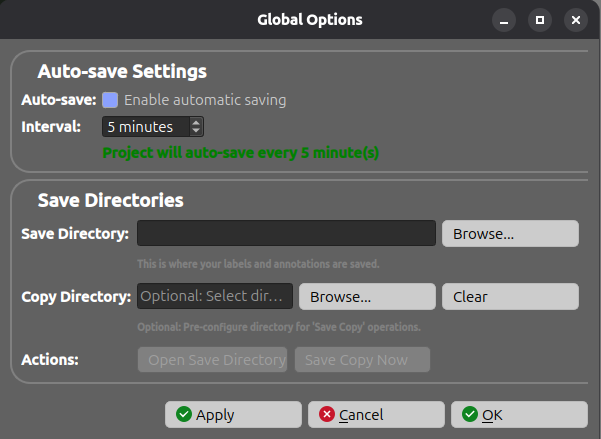
Auto-save Settings
| Control | Range / Options | Description |
|---|---|---|
| Auto-save | on / off | Enable automatic saving of the project at a regular interval. |
| Interval | 1 – 60 minutes | How often the project is saved when auto-save is enabled. A live message confirms the chosen frequency. |
Save Directories
| Control | Description |
|---|---|
| Save Directory | The folder where your labels and annotations are saved. Use Browse… to choose it. |
| Copy Directory | Optional folder pre-configured for Save Copy operations. Use Browse… to set it or Clear to remove it. |
| Actions | Open Save Directory opens the save folder in your file explorer; Save Copy Now immediately writes a copy of the project to the copy directory. |
Applying changes
The dialog provides three buttons:
- Apply — apply the settings without closing the dialog.
- OK — apply the settings and close the dialog.
- Cancel — close the dialog and restore the previous settings.